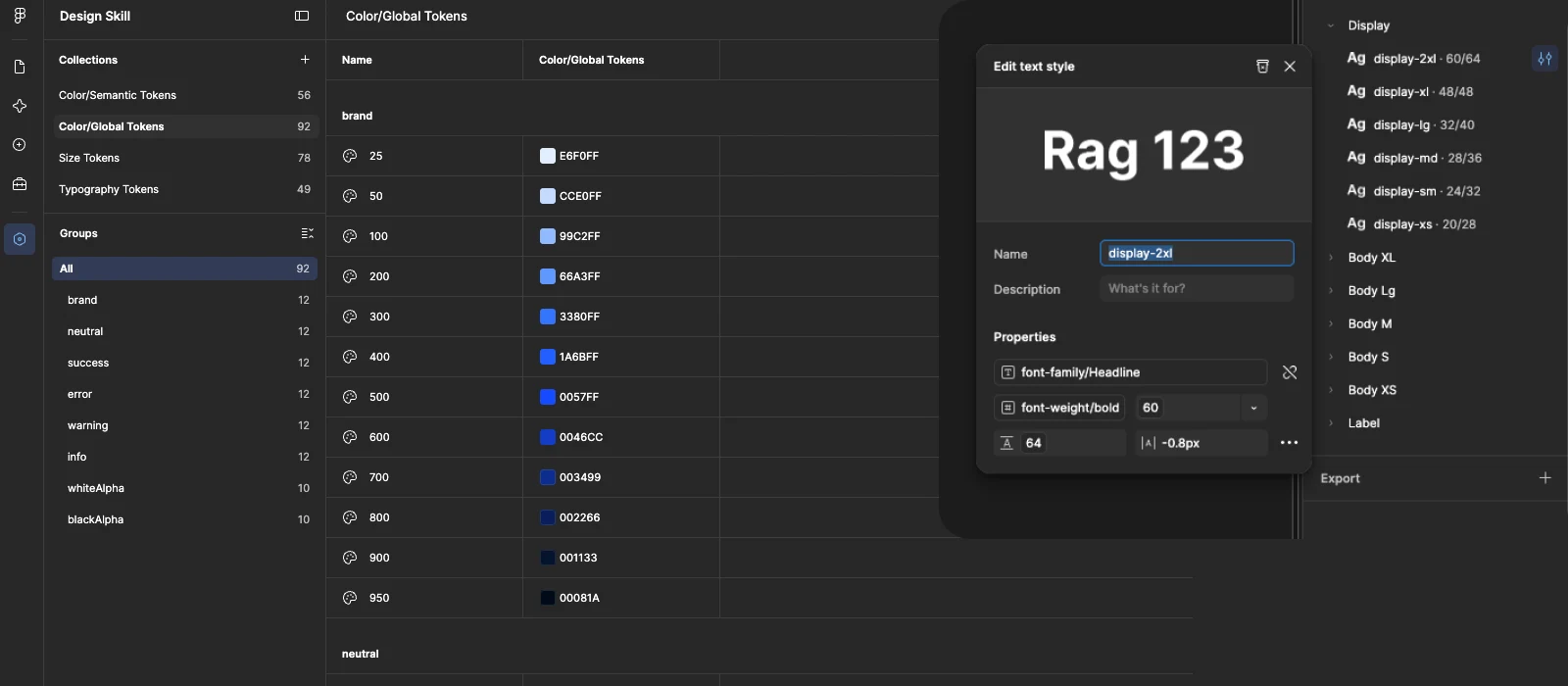
Building design tokens by hand is four separate tasks that each eat time on their own. I built a Claude skill that does all four — and, unlike Claude's first attempts, actually binds every layer together.
The Problem
Building design tokens by hand is a process made up of four separate tasks, and each one eats time on its own:
A separate, harder task comes up once a design is already approved: pulling every color, spacing value, and font already used in the finished layout and converting them into variables and styles — so the system can scale from there.
I tried delegating this to Claude. The first result was decent — it genuinely knew how to create variables. Just not the way I was used to. The biggest problem: it created text styles but didn't bind them to typography variables. The style existed on its own, and changing a font or size elsewhere no longer updated it. In practice — not a token system, just a set of values that looked like one.
So I decided to build a skill that makes creating variables and text styles seamless — where every variable is bound to another exactly the way it should be.
What a Skill Actually Is
Skills in Claude aren't just a prompt. They're a container of instructions, code examples, and rules that Claude loads into context and applies consistently — instead of reinventing the approach every time. My figma-design-tokens skill builds a 4-layer token architecture in Figma through the official Figma MCP:
This is exactly what Claude didn't do out of the box: it understood variables, but it didn't understand that a text style without a binding isn't a token — it's just a fixed number.
How I Built It
I didn't write the skill from scratch as theoretical documentation of how it should work. I showed it how I actually do it myself.
This came with nuances I had to spell out separately. For example: in dark mode, surface elevation means a lighter background, not a shadow like in light mode. Borders on a dark background are white rgba at low opacity, not solid gray. The accent color in dark mode gets bumped one step lighter, or it gets lost against the background. Without these rules, the result was technically "working" but looked like a simple color inversion rather than a considered dark theme.
I now use the skill in two scenarios: there's an already-approved concept that needs to become a system, or I'm starting fresh with only brief colors and the skill breaks them into a scale, picks neutrals, and builds the semantics itself. What used to take hours — especially picking a color scale and distributing it across steps — now takes roughly 15 minutes.
How to Apply It
A few example prompts, for the scenarios I use most:
This isn't a solution for everything — the skill knows my system and naming well, so on a project with different conventions it needs a bit of retraining first. But for my own workflow, this is the rare case where an hour-long routine became a 15-minute task, without losing quality in the result.