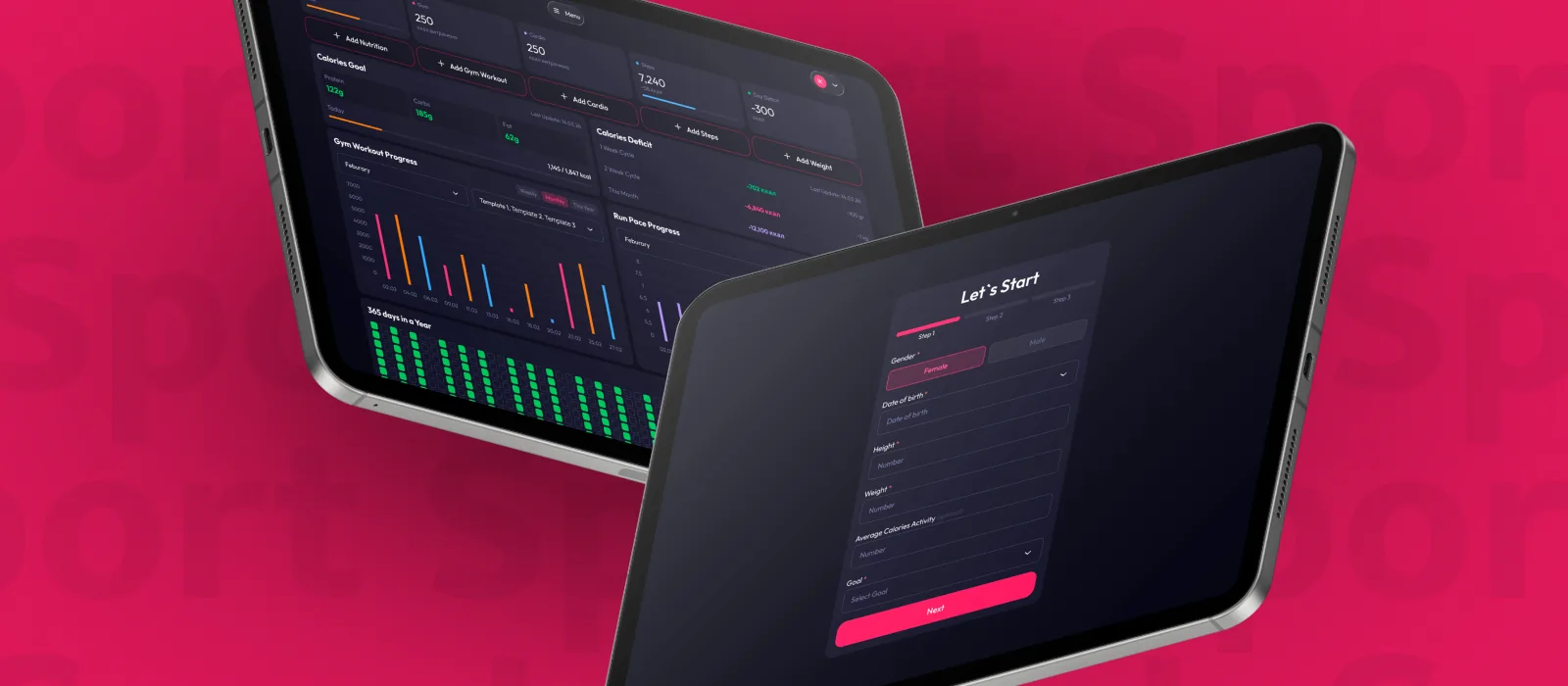
I decided to challenge myself: not to start with a simple portfolio website, but to go straight for building my own SaaS product — and tackle the hardest part first: the backend, with all its formulas and logic.
Introduction
As someone who loves tracking every bit of progress, I always had ideas I wanted to build — but I could only sketch and plan them out, never actually ship them without development knowledge. At the time, I was already tracking different aspects of my health across a mess of apps and spreadsheets: I logged nutrition in one app but copied it into Excel, where I also tracked workouts, while counting the number of workouts separately in Notion. There was no single system, so I decided to bring it all together into one product for myself.
When it came time to test Claude Code in my work as a designer, I decided to challenge myself: not to start with a simple portfolio website, but to go straight for building my own SaaS product — one that would track my strength training progress at the gym — and tackle the hardest part first: the backend, with all its formulas and logic.
Up to that point, I had always been "just" a designer who could think through a solution at the mockup level but couldn't build it. That started to change once AI became part of my work.
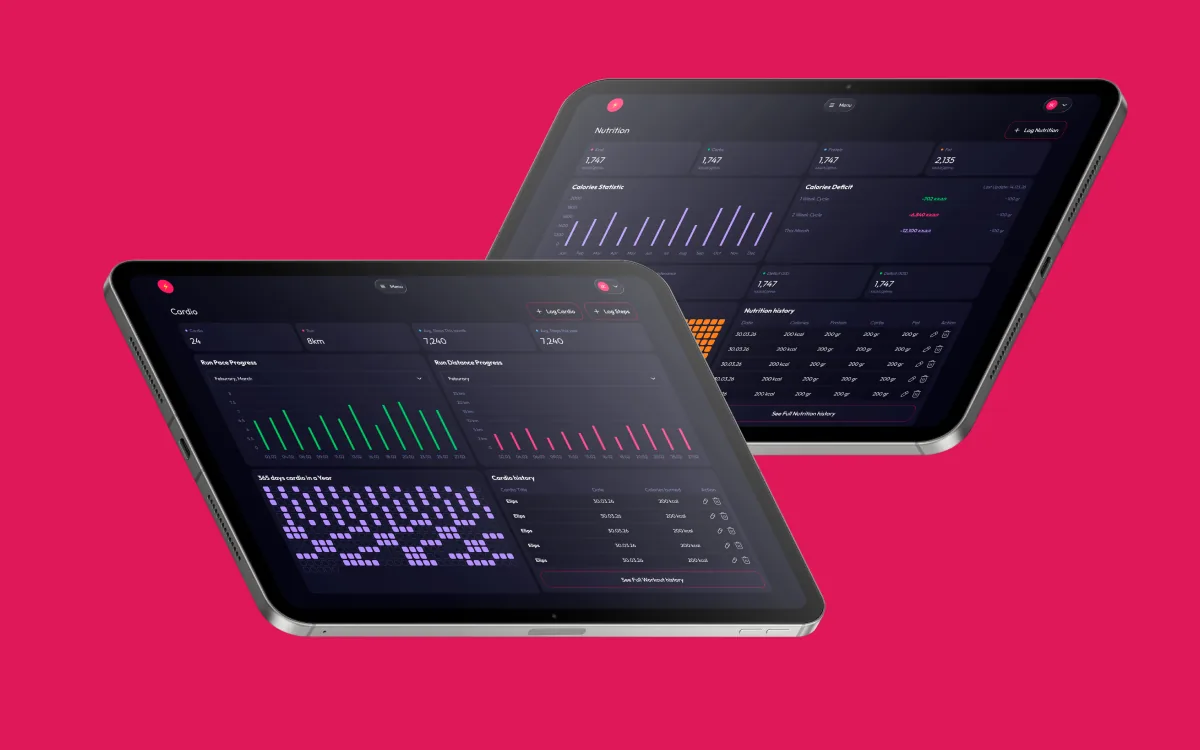
I started with mockups, information architecture, and documentation — not just for components, but for the logic and complex formulas behind them: what would connect to what, and how, in the future backend. The real question was different: could I actually take a solution all the way to a working product on my own, without a development team? The answer turned out to be yes — and here's how it happened.
From Idea to Product Documentation
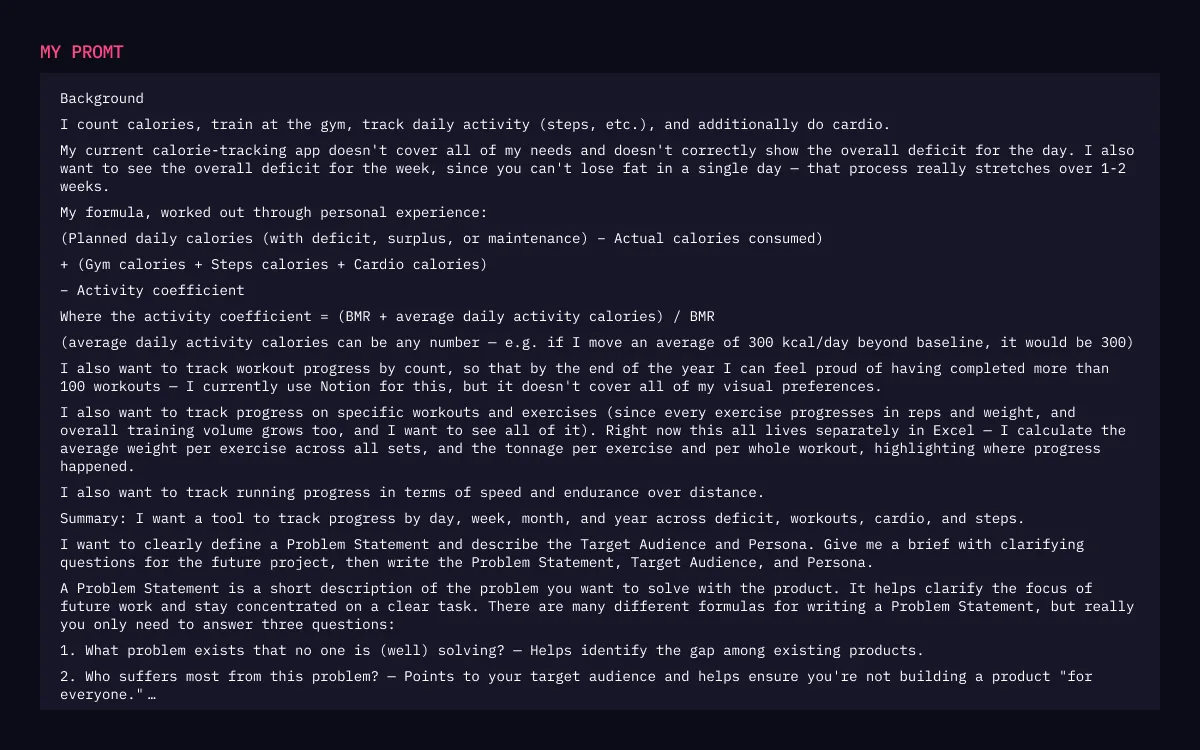
Before opening Figma, I wrote product documentation — not for the sake of formality, but because I knew that once I got to talking with Claude Code, a vague idea would cost me hours of rework.
MVP scope — four modules, in order of priority:
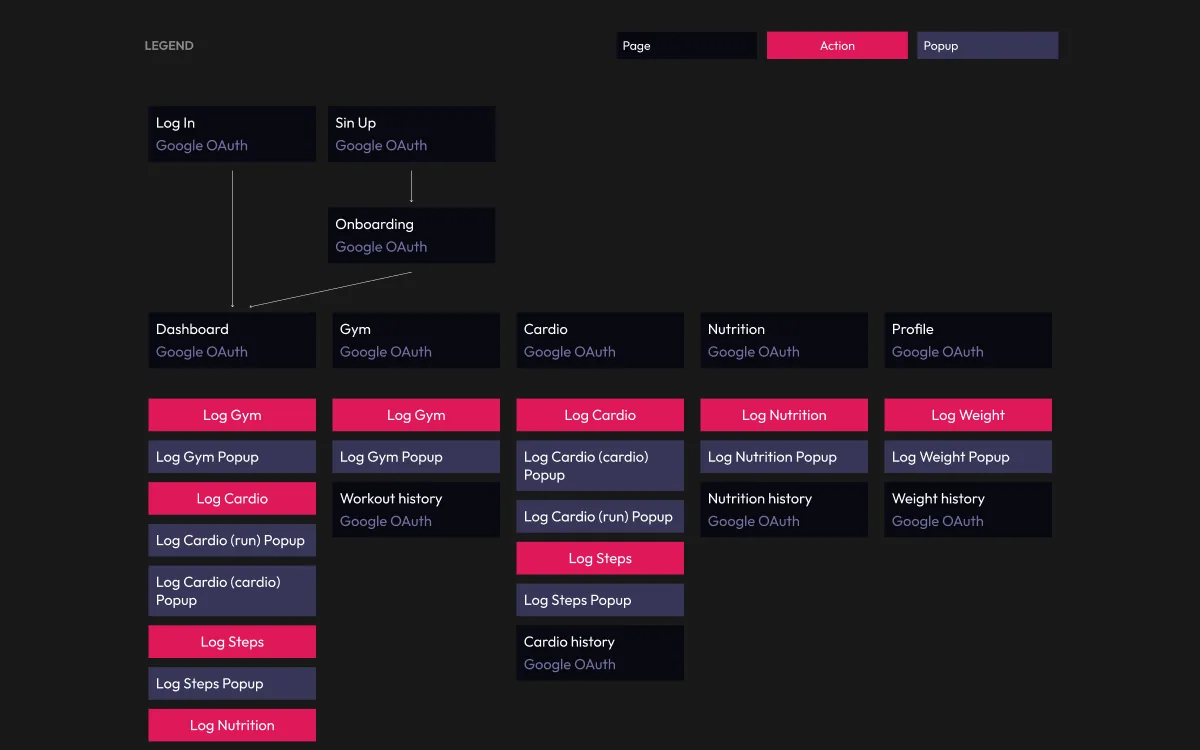
I narrowed the information architecture down to 19 screens: auth (login, sign up), a three-step onboarding flow, five core sections (dashboard, gym, cardio, nutrition, profile), four history screens, and six pop-up modals for logging actions.
What excited me most at this stage was realizing that the entire product rested on a single chain of dependencies. BMR and TDEE are calculated from the personal data a person enters during onboarding: weight, height, age, gender. Daily calories depend on TDEE, nutrients depend on daily calories, and the daily, weekly, and monthly deficit depend on nutrients. The personal profile turned out to be not just a data form, but the foundation the entire product's math is built on. Once I understood that, onboarding design stopped being "just a form" and became the critical entry point into the system.
Tech Stack
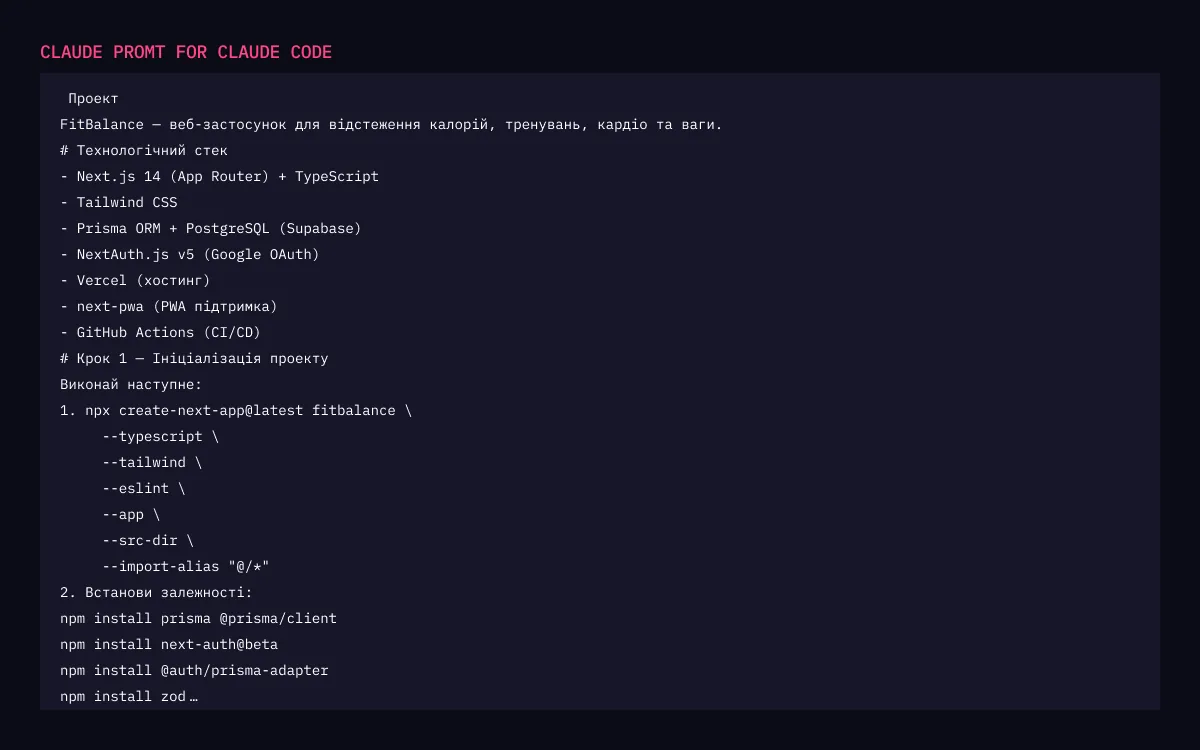
Frontend: Next.js 14 (App Router) + TypeScript + Tailwind CSS · Backend: Next.js API Routes (serverless) · ORM: Prisma 7 with @prisma/adapter-pg · Database: PostgreSQL (Supabase, eu-west-1) · Auth: NextAuth.js v4 (Google OAuth) · Hosting: Vercel · PWA: next-pwa · Charts: Recharts
Workflow with Claude Code
Step by step, my workflow looked like this:
Then came the most interesting part — the Supabase backend. Creating tables and connecting them to each other based on the documentation was a new and interesting task for me, so I did this part myself.
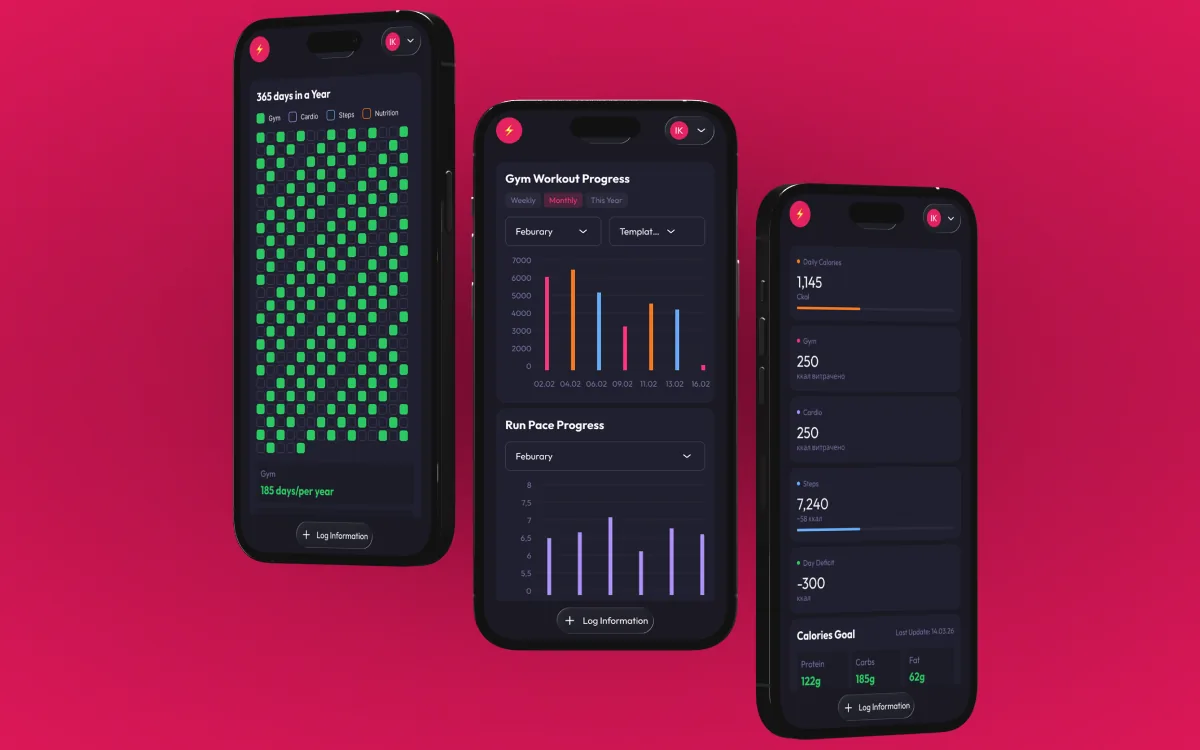
Next was syncing the frontend with the backend, and that's where things got really interesting. The product started actually calculating everything for real, and I began adding my own steps, my own workouts, and seeing it all show up on the dashboards.
Connecting Google authentication turned out to be its own special kind of hell — I hadn't run into problems quite like that before.
Challenges Along the Way
First, there was the authentication issue via Google — already mentioned above, though it turned out not to be the biggest problem.
The biggest problem came from the fact that I hadn't created a component storybook from the start. At some point, a single prompt with edits to one block started creating a pile of new bugs across the entire system — titles disappearing here, styles breaking there, in places I hadn't touched at all. Without an isolated component library, Claude Code had no clear boundary for what could and couldn't be changed, and changes in one place spread unpredictably across the whole system.
What I Learned About AI-Assisted Development
Documentation really is critical — especially that first prompt that lays out the whole architecture. You can't rush it.
"One prompt — one task" is still a working principle, but the deeper I got, the more I understood: a well-structured .md file with instructions is probably more important than the approach itself. A well-structured prompt won't save you if the documentation it's based on is incomplete.
Another habit that helps a lot: creating a separate project in Claude, switching to a new chat, and adding the project files there — it saves tokens and preserves "memory" of the architecture.
What's Next
The plan is to sync the design system through Claude Code and Claude Design and bring the visuals to completion.
And honestly, using a product you built with your own hands and your own head is a bit like living in your own apartment that you bought but haven't renovated yet: you know it's yours, and that feels warm, but at the same time you can see every flaw still left to fix.
This project also taught me, as a designer, to think more in systems — what comes from where, from which table, how we show it on screen. That's already helping me at work: in communicating with developers and in better understanding what clients actually want.